How to Print Jewelry Labels: Label Size, Printer Setup & Common Problems
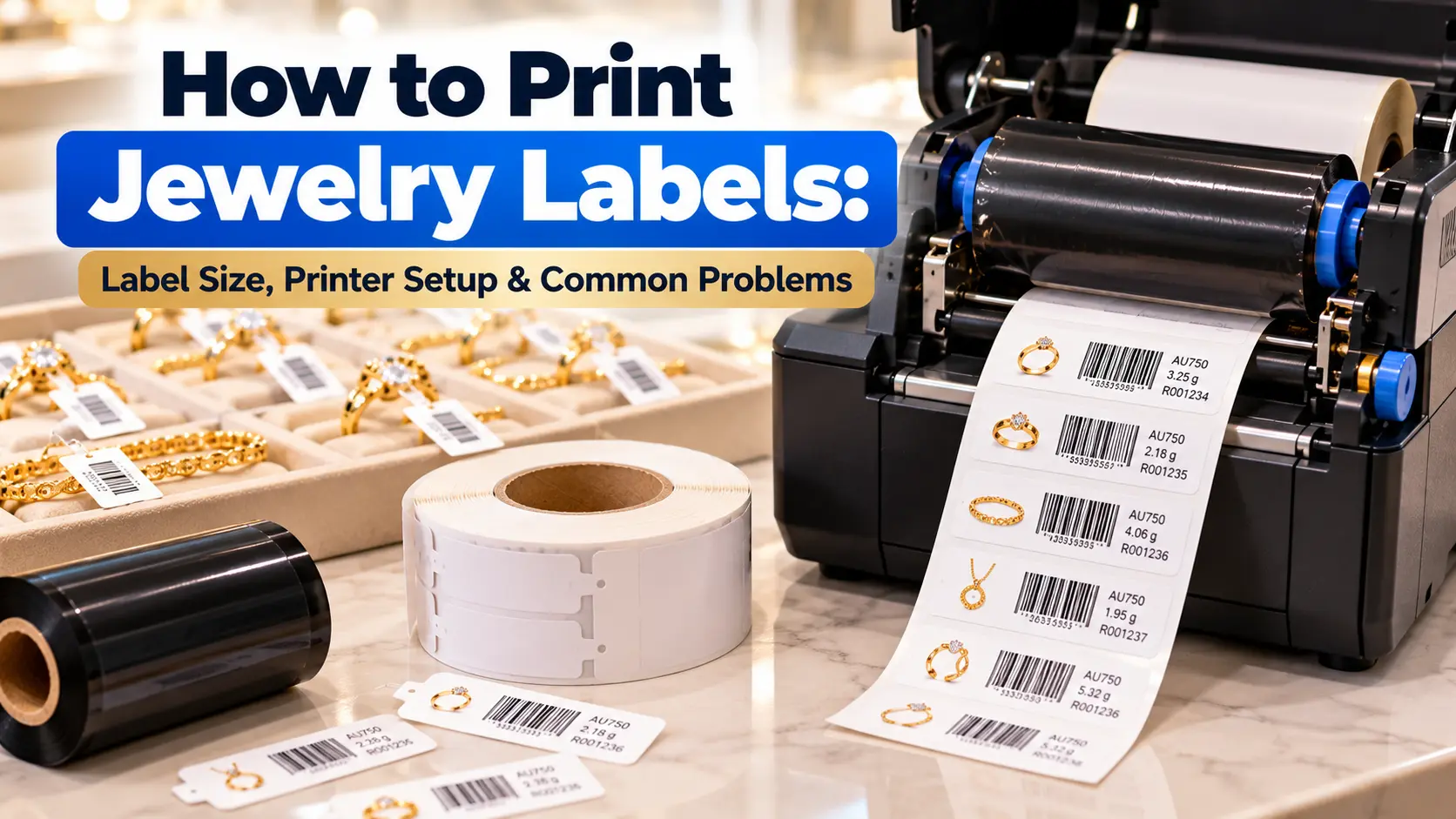
How to Print Jewelry Labels: Label Size, Printer Setup & Common Problems
Plenty of jewelry stores already own a barcode printer, yet still run into blurry prints, barcodes that won’t scan, or labels that don’t fit the piece. This guide covers the basics of printing jewelry labels correctly, plus fixes for the most common problems.
Choosing the Right Label Size
Jewelry labels come in sizes ranging from roughly 6.4 x 1.3 cm up to 8.6 x 1.4 cm, depending on the piece. Rings and earrings typically use smaller labels, while necklaces and bracelets — with more surface to attach a tag — can use larger labels for easier-to-read information. Browse available sizes in categories like PP Gold Matte Jewelry Labels.
Basic Barcode Printer Setup
Before printing, check three key settings: label width in the software matches the actual roll, print darkness set correctly — not so high it scorches the label, not so low the barcode prints faint — and print speed matched to the ribbon you’re using. If you’re on Thermal Transfer, make sure the ribbon matches your label material, such as Wax or Wax-Resin. For more on choosing a print technology, see Thermal Transfer vs Direct Thermal.
Common Problems and How to Fix Them
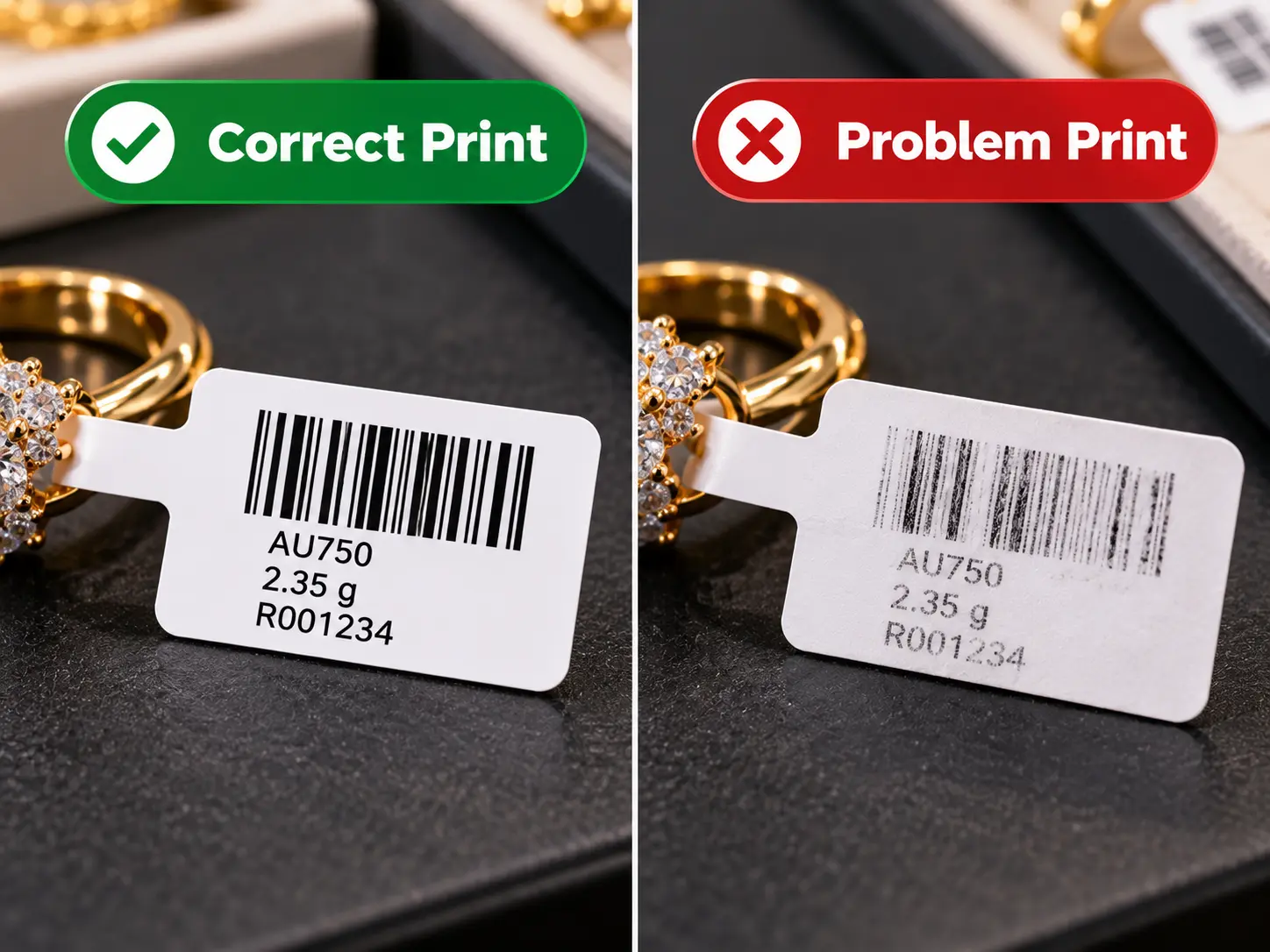
- Barcode prints but won’t scan: Usually caused by incorrect print darkness or a ribbon mismatched to the label material. Adjust darkness and test-scan before printing in bulk.
- Labels print blurry or with broken lines: Often a dirty or worn printhead. Clean it regularly, following the manufacturer’s recommended schedule.
- Labels don’t stick well or peel off: Can result from using the wrong label material for the jewelry surface, or storing label rolls somewhere too humid.
- Label size doesn’t fit the required information: Switch to a larger label, or use a 2D barcode that packs more data into a smaller space.
Good label print quality isn’t just about the printer — it depends on choosing the right label size, configuring the printer correctly, and matching the ribbon to your material. If problems keep recurring, check all three before assuming you need a new machine. Browse barcode printers for jewelry stores on our Barcode Printer for Jewelry page, or get more usage ideas on Label Ideas.
FAQ
Q: How often should I clean the printhead?
A: Generally every time you change the ribbon or label roll, or at least once a month with daily use.
Q: Why won’t a barcode scan even though it looks clear?
A: It may be printed too dark, blurring the bars in a way that’s invisible to the eye but unreadable to a scanner. Always test-scan before a full print run.
วิธีพิมพ์ป้ายจิวเวลรี่: ขนาดป้าย การตั้งค่าเครื่องพิมพ์ และปัญหาที่พบบ่อย
ร้านทองหลายร้านมีเครื่องพิมพ์บาร์โค้ดอยู่แล้ว แต่ยังเจอปัญหาป้ายพิมพ์เบลอ บาร์โค้ดสแกนไม่ติด หรือขนาดป้ายไม่พอดีกับตัวเรือน บทความนี้รวมขั้นตอนพื้นฐานในการพิมพ์ป้ายจิวเวลรี่ให้ถูกต้อง พร้อมวิธีแก้ปัญหาที่พบบ่อยที่สุด
เลือกขนาดป้ายให้เหมาะกับสินค้า
ป้ายจิวเวลรี่มีหลายขนาดตั้งแต่ประมาณ 6.4 x 1.3 ซม. ไปจนถึง 8.6 x 1.4 ซม. ขึ้นอยู่กับประเภทเครื่องประดับ แหวนและต่างหูมักใช้ป้ายขนาดเล็ก ส่วนสร้อยคอหรือกำไลที่มีพื้นที่ติดป้ายมากกว่าสามารถใช้ป้ายขนาดใหญ่ขึ้นเพื่อให้ข้อมูลอ่านง่าย ดูขนาดทั้งหมดได้ที่หมวดป้ายฉลาก เช่น PP Gold Matte Jewelry Labels
ตั้งค่าเครื่องพิมพ์บาร์โค้ดเบื้องต้น
ก่อนพิมพ์ ควรตรวจสอบ 3 จุดหลัก คือ ความกว้างป้ายในซอฟต์แวร์ตรงกับม้วนป้ายจริง ความร้อนหัวพิมพ์ (Darkness) ตั้งค่าให้พอดี ไม่มากไปจนป้ายไหม้หรือน้อยไปจนบาร์โค้ดจาง และ ความเร็วการพิมพ์ ที่เหมาะกับประเภทริบบอนที่ใช้ หากใช้ระบบ Thermal Transfer ต้องเลือกริบบอนให้ตรงกับวัสดุป้าย เช่น Wax หรือ Wax-Resin อ่านเพิ่มเติมเรื่องการเลือกระบบพิมพ์ได้ที่ Thermal Transfer vs Direct Thermal
ปัญหาที่พบบ่อยและวิธีแก้
- บาร์โค้ดพิมพ์แล้วสแกนไม่ติด: มักเกิดจากตั้งค่าความร้อนหัวพิมพ์ไม่พอดี หรือใช้ริบบอนไม่ตรงกับวัสดุป้าย ให้ปรับ Darkness และทดสอบสแกนก่อนพิมพ์จำนวนมาก
- ป้ายพิมพ์เบลอหรือมีเส้นขาด: ส่วนใหญ่เกิดจากหัวพิมพ์สกปรกหรือสึก ควรทำความสะอาดหัวพิมพ์เป็นประจำตามรอบที่ผู้ผลิตแนะนำ
- ป้ายติดไม่แน่นหรือหลุดง่าย: อาจเกิดจากเลือกวัสดุป้ายไม่เหมาะกับพื้นผิวเครื่องประดับ หรือเก็บม้วนป้ายในที่ชื้นเกินไป
- ขนาดป้ายไม่พอดีกับข้อมูลที่ต้องพิมพ์: ควรเปลี่ยนไปใช้ป้ายขนาดใหญ่ขึ้น หรือใช้บาร์โค้ดแบบ 2D ที่เก็บข้อมูลได้มากในพื้นที่เล็กกว่า
การพิมพ์ป้ายจิวเวลรี่ให้ได้คุณภาพดีไม่ได้ขึ้นอยู่กับเครื่องพิมพ์อย่างเดียว แต่ต้องเลือกขนาดป้าย ตั้งค่าเครื่องให้ถูกต้อง และเลือกริบบอนให้เหมาะกับวัสดุ หากพบปัญหาซ้ำ ๆ ควรตรวจสอบทั้งสามจุดนี้ก่อนเปลี่ยนเครื่องใหม่ ดูเครื่องพิมพ์บาร์โค้ดสำหรับร้านทองได้ที่ เครื่องพิมพ์บาร์โค้ดสำหรับร้านทอง หรืออ่านไอเดียการใช้งานป้ายเพิ่มเติมที่ Label Ideas
คำถามที่พบบ่อย (FAQ)
Q: ควรทำความสะอาดหัวพิมพ์บ่อยแค่ไหน?
A: โดยทั่วไปแนะนำทุกครั้งที่เปลี่ยนม้วนริบบอนหรือม้วนป้ายใหม่ หรืออย่างน้อยเดือนละครั้งหากใช้งานทุกวัน
Q: ทำไมบาร์โค้ดที่พิมพ์ดูชัดแต่สแกนไม่ติด?
A: อาจเกิดจากความร้อนหัวพิมพ์มากเกินไปจนเส้นบาร์โค้ดเบลอในระดับที่ตาเปล่ามองไม่เห็น แนะนำให้ทดสอบสแกนทุกครั้งก่อนพิมพ์จำนวนมาก